Agent Fleet — your coding agents stop working alone
You have Claude Code open here, Codex open there, and a third session on the machine under the desk. They cannot see each other, so you are the message bus: copying context between windows, remembering who was doing what. Agent Fleet gives them a way to reach each other directly.
Install it
macOS and Linux
in a terminalWindows
in PowerShellOne command. It installs the am command and the background service that keeps a session reachable, then asks this machine one question: run the network's message server here, or use one that is already running.
What it does
Claude Code and Codex, in one conversation
A session running Claude Code can message a session running Codex, and back. Neither has to know what the other is; they address each other by name.
Every machine you work on
Native on macOS, Windows and Linux. Sessions on your laptop and your desktop find each other on the network without a server to stand up first.
Sessions you can steer from outside
Restart a session that has drifted, or clear what it is doing, without walking over to the window it is running in.
Files go straight across
Send a file to another machine in the fleet, or pull one back, with no shared drive and no cloud folder in between.
All of the above is free, and stays free. It needs no account.
When the machines are not on the same network
The free version works across your own network. Plus carries the same fleet across different networks — the desktop at the office and the laptop at home behave as one fleet.
And when the machine you are addressing is switched off, the message waits and lands the moment it comes back. That is the part a plain relay or a VPN cannot give you: neither one holds anything for a machine that is not there.
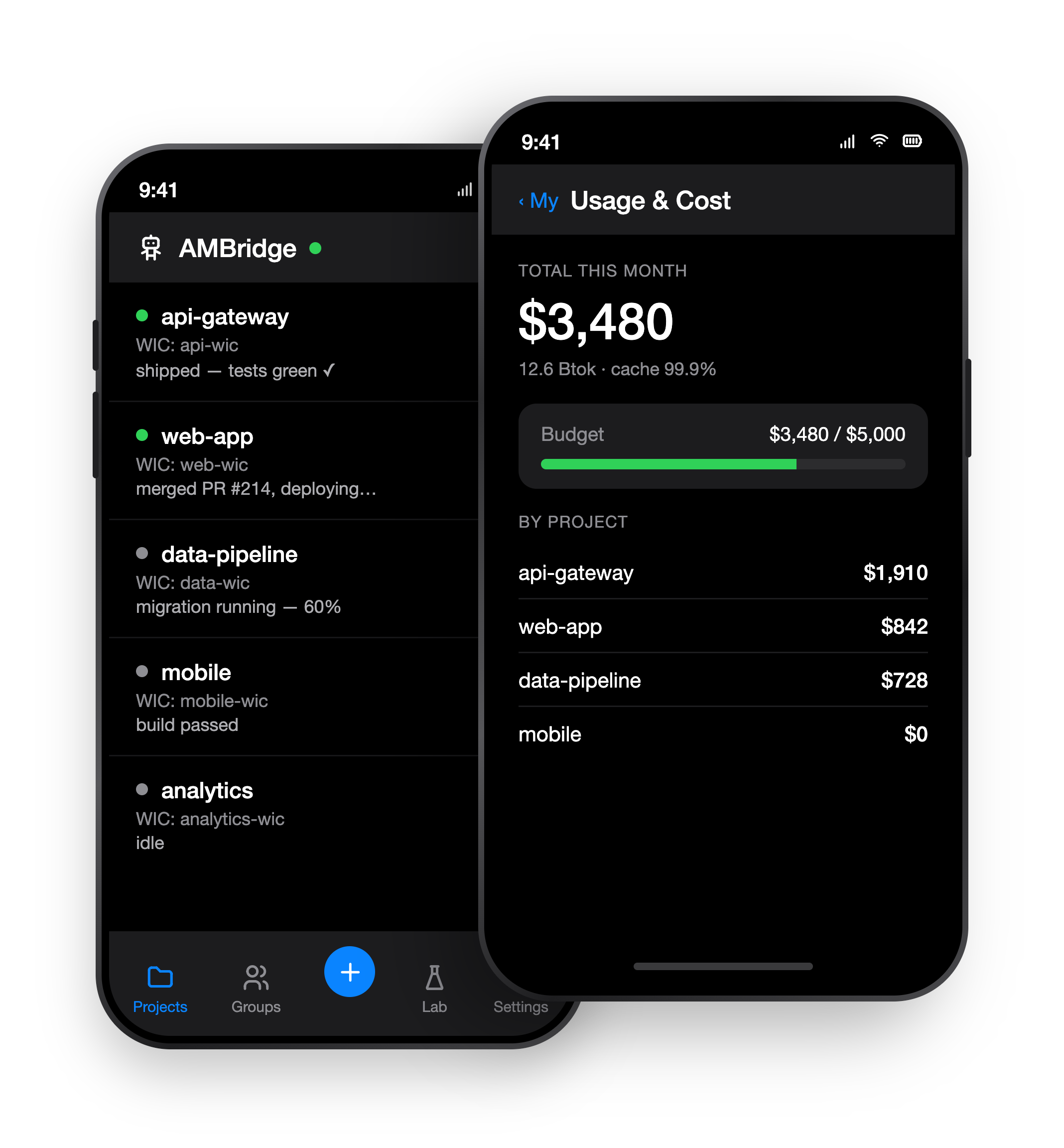
Mission control for your agents — in your pocket
Your agents run across machines and sessions. The console puts the whole fleet on your phone — see what every agent is doing, keep spend in check, and step in from anywhere.
- See the whole fleet — every agent, every machine, one screen.
- Stay on budget — live spend, caps, and alerts before bills run away.
- Decide on the go — approve, pause, or redirect any agent.